
Your whole restaurant.
One device. Zero internet.
TablePay runs your floor, kitchen and billing from a single master device over your own Wi-Fi. Staff phones and tablets connect instantly — no cloud, no monthly outage risk.
- Works fully offline
- Real-time across devices
- Built for restaurants
Works offline, always
No cloud means no outage. The network can drop and service never stops — everything runs on the local device.
One master, many devices
Waiters take orders on phones, the kitchen watches a live board, the counter bills — all in sync over your Wi-Fi.
Built for restaurants
Tables, variants, add-ons, cooking requests, split & merge, GST-style tax and coupons — the way service actually works.
Your data stays yours
Local SQLite with automatic encrypted backups, a USB mirror, and one-click disaster recovery. You own every record.
One app for the whole floor
From the first tap to the printed bill, TablePay handles the way restaurants actually run — fast, offline, and in sync.
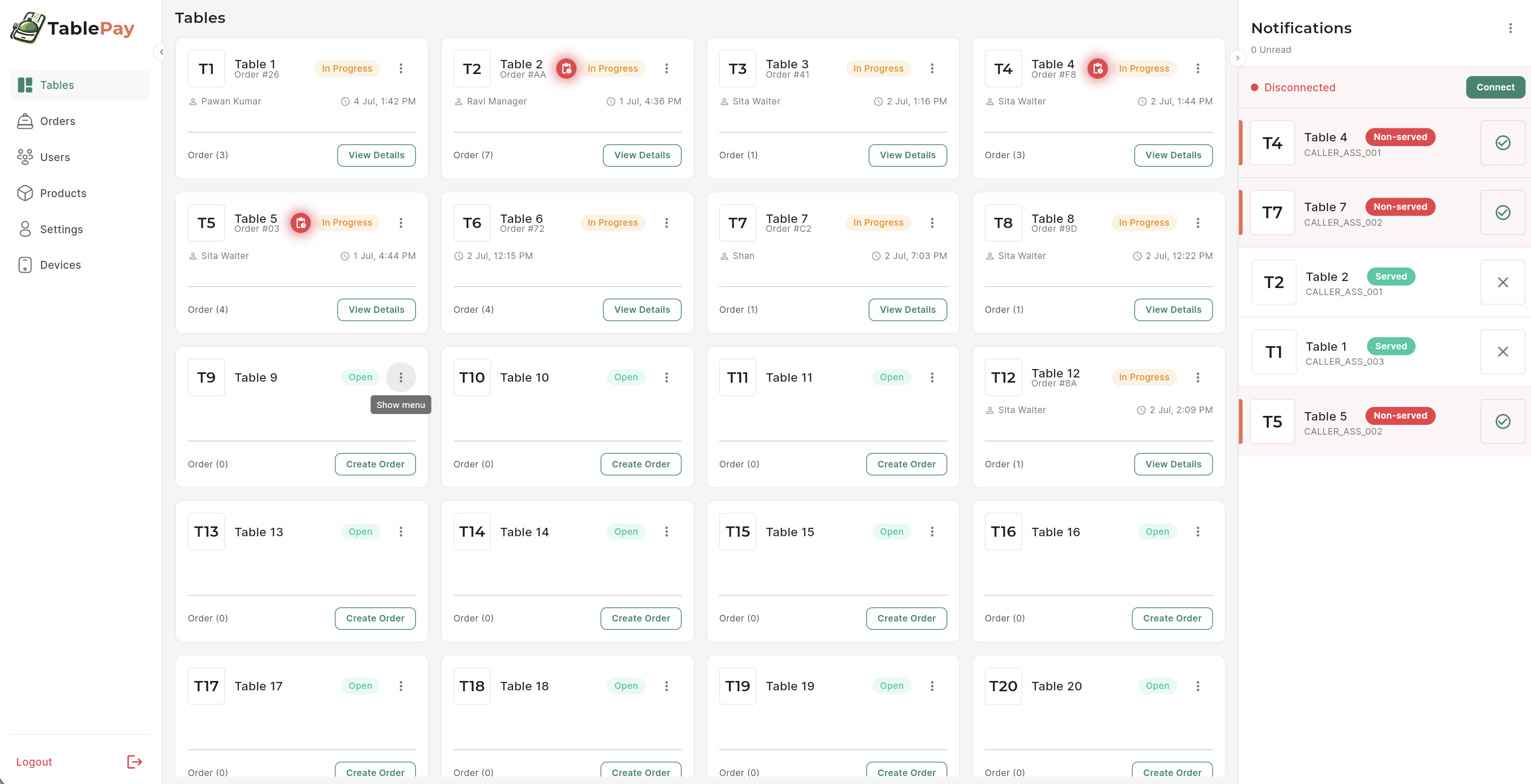
See every table at a glance — in real time
- Open, in-progress and occupied tables update live across every device.
- Each card shows the server, order count, and time seated.
- Pending item-requests glow so managers never miss an approval.
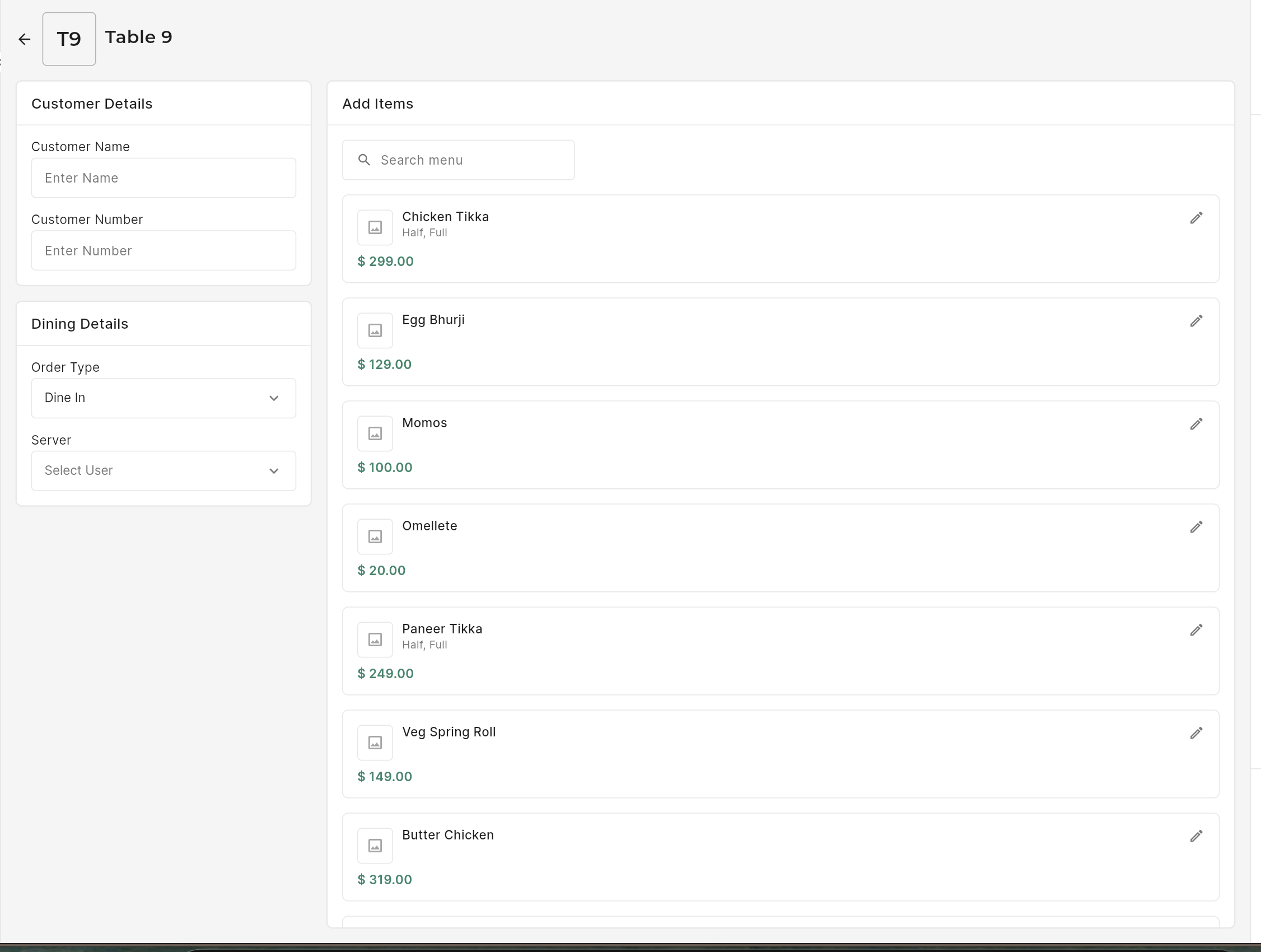
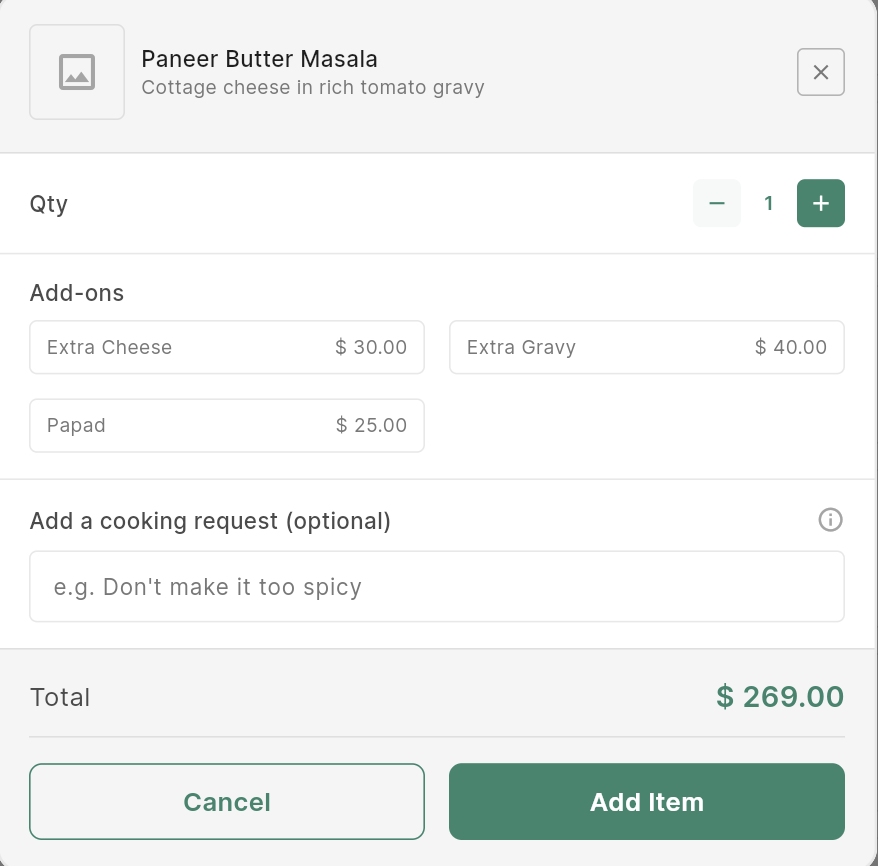
Build an order the way service really flows
- Capture customer & dining details, then search the menu and tap to add.
- Pick variants (Half / Full), stack add-ons, and note cooking requests.
- Dine-in, takeaway or delivery — order type set per table.
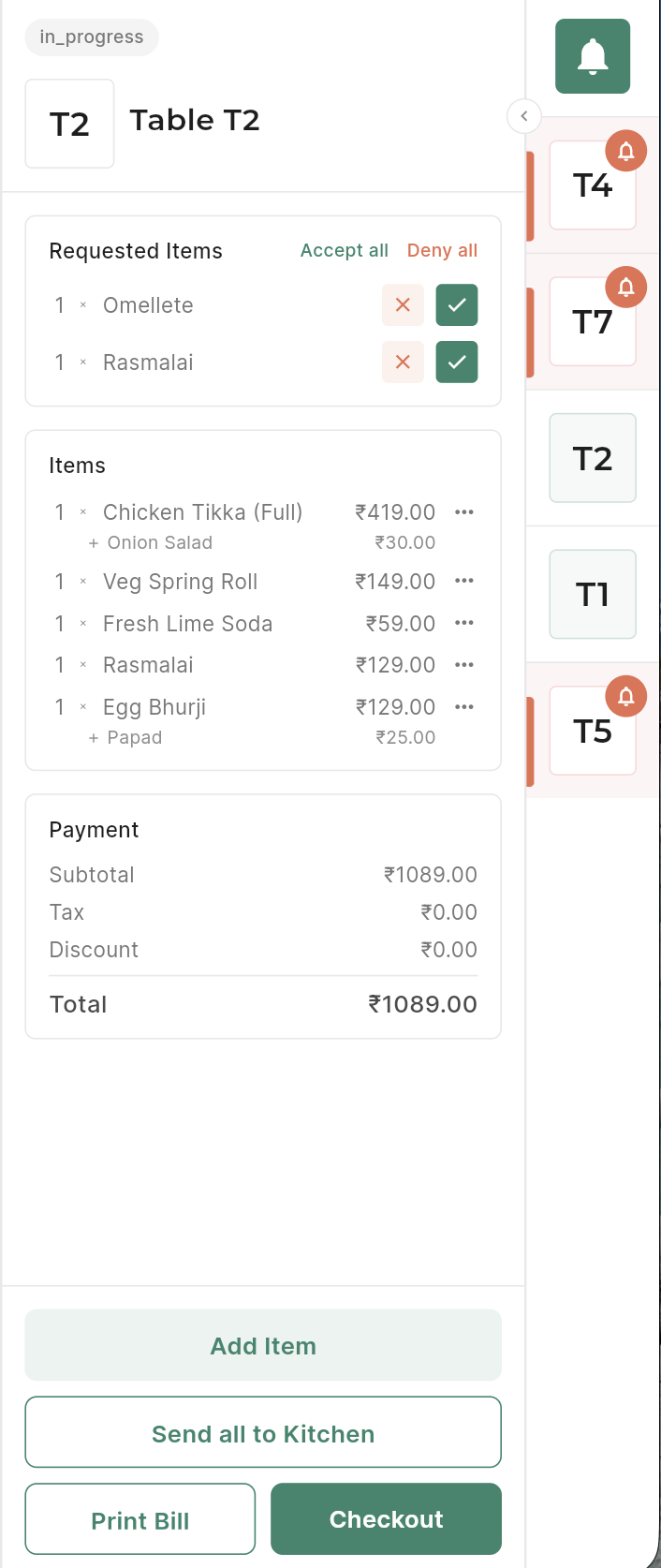
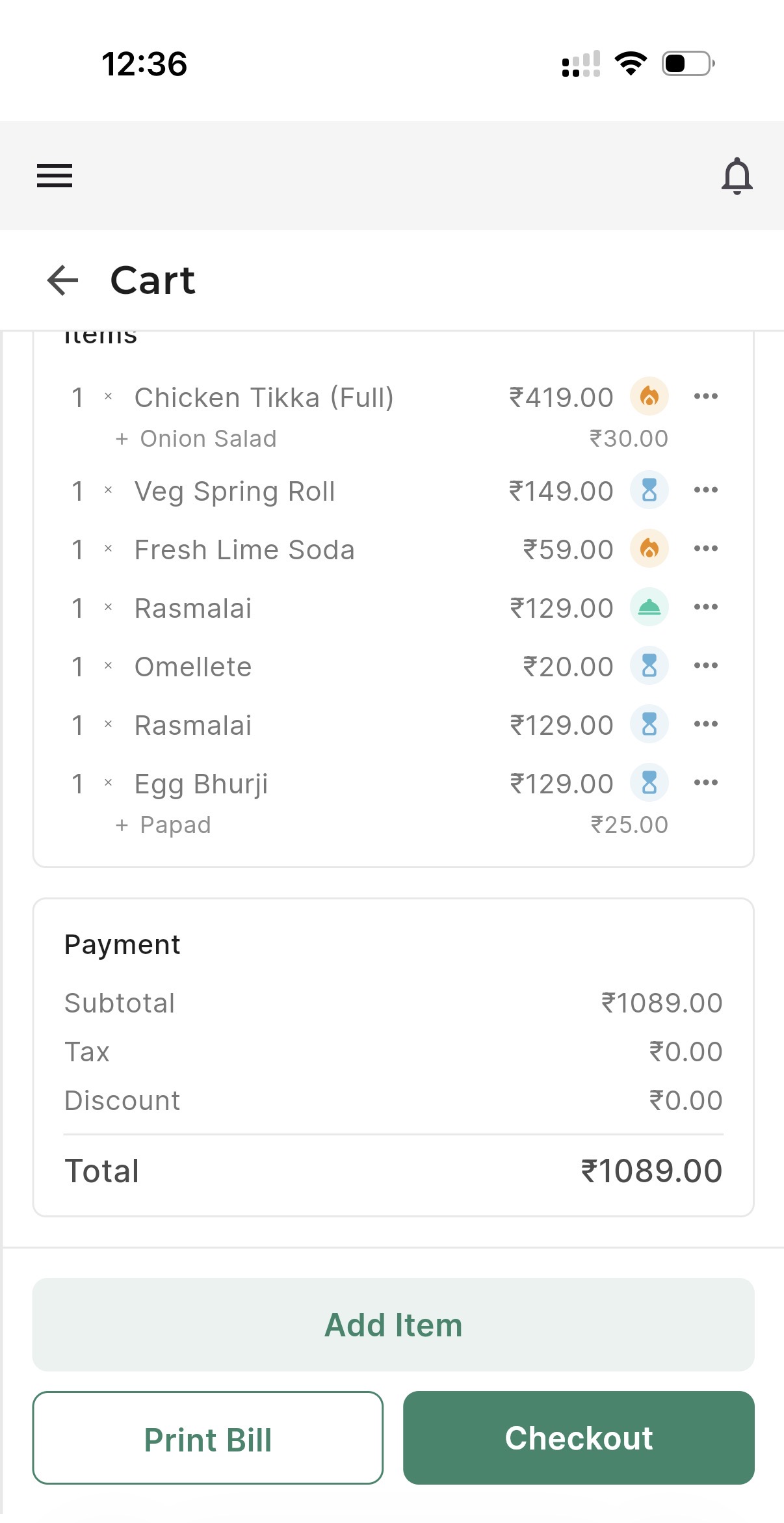
Approve, add and bill from one cart
- Waiters request items; managers accept or deny with a single tap.
- Live subtotal, tax and discount — print the bill or check out instantly.
- Fire the whole order to the kitchen with “Send all to Kitchen”.
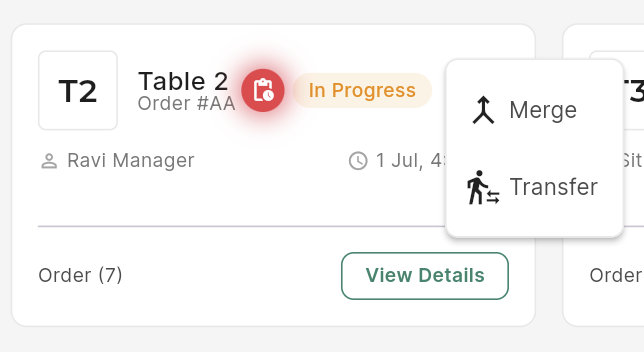
Move or combine tables without re-keying
- Transfer an active cart to another table in two taps.
- Merge two tables’ carts into one bill when guests join up.
- Every move syncs instantly to all connected devices.
Your kitchen, always in sync with the floor
Confirmed items fly straight to a live kitchen board. Cooks move tickets New → Being Prepared → Ready with a tap, and every change reflects back to the manager’s cart in real time.
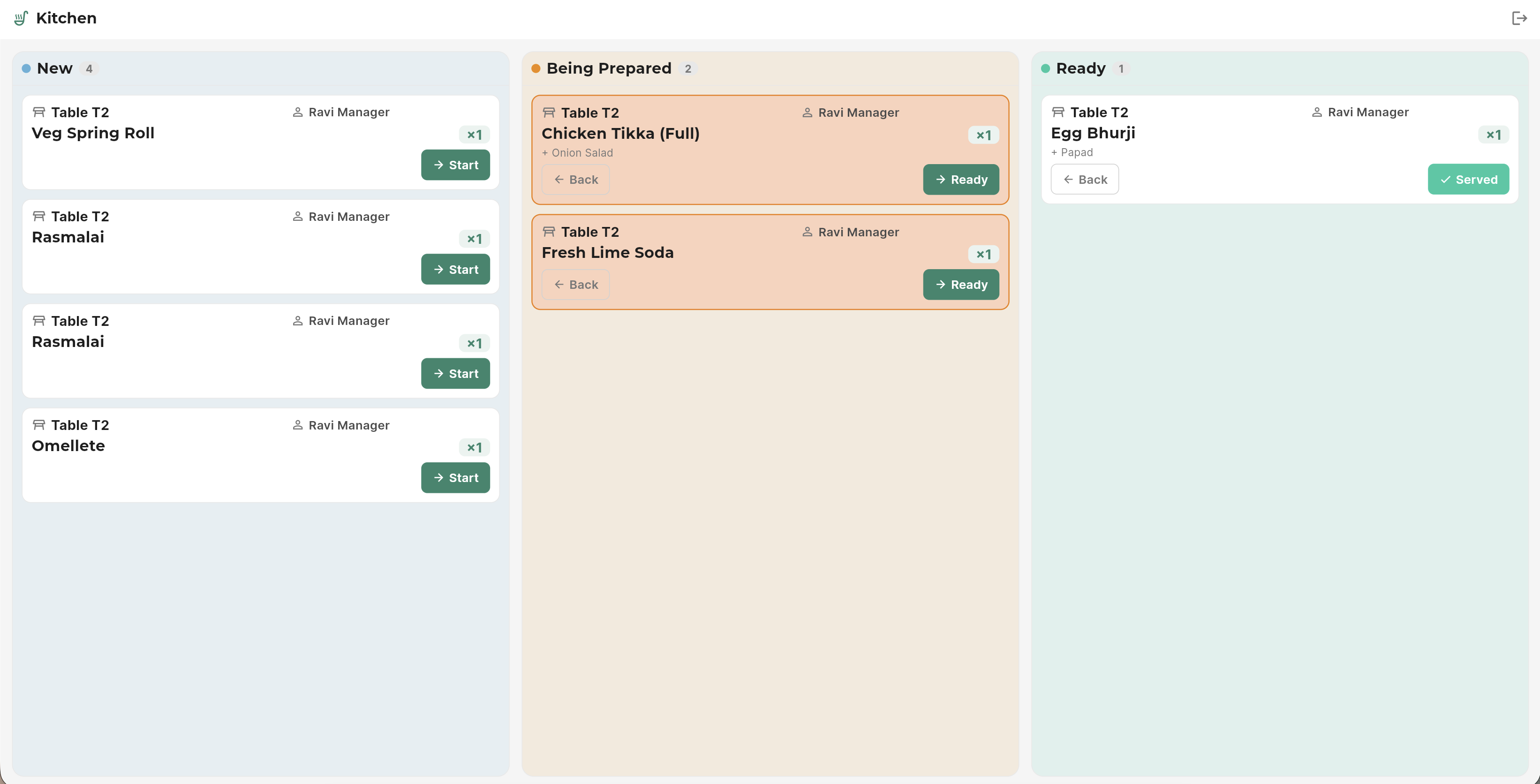
New
Fresh tickets appear the moment an order is sent from the floor.
Being Prepared
Cooks tap Start; the whole line sees what’s on and for which table.
Ready
Marked ready to serve — then it drops off the board automatically.
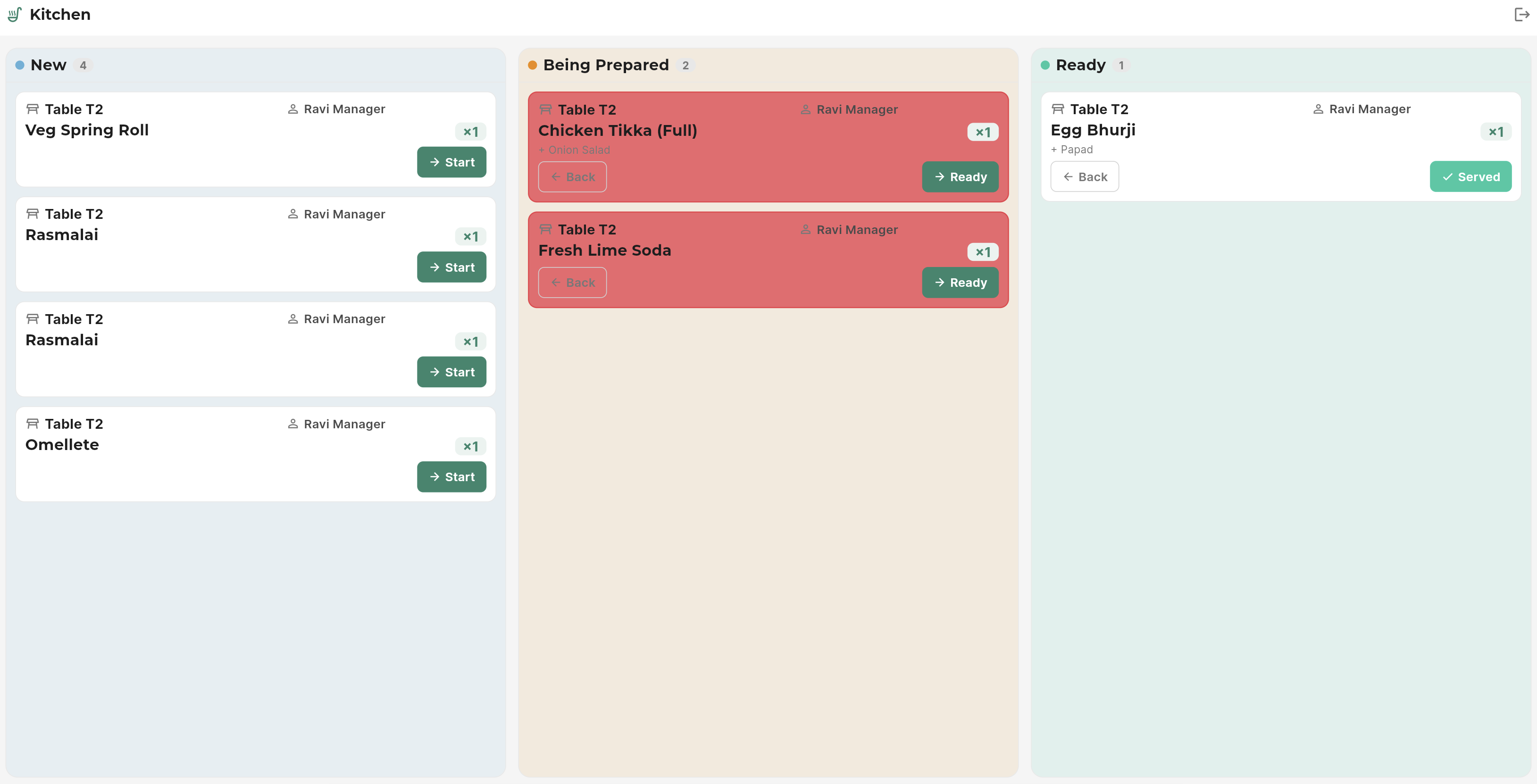
Aging alerts
A waiting ticket warms from orange to red the longer it sits — so nothing in the kitchen is ever forgotten.
On the counter, in your hand, and in the kitchen
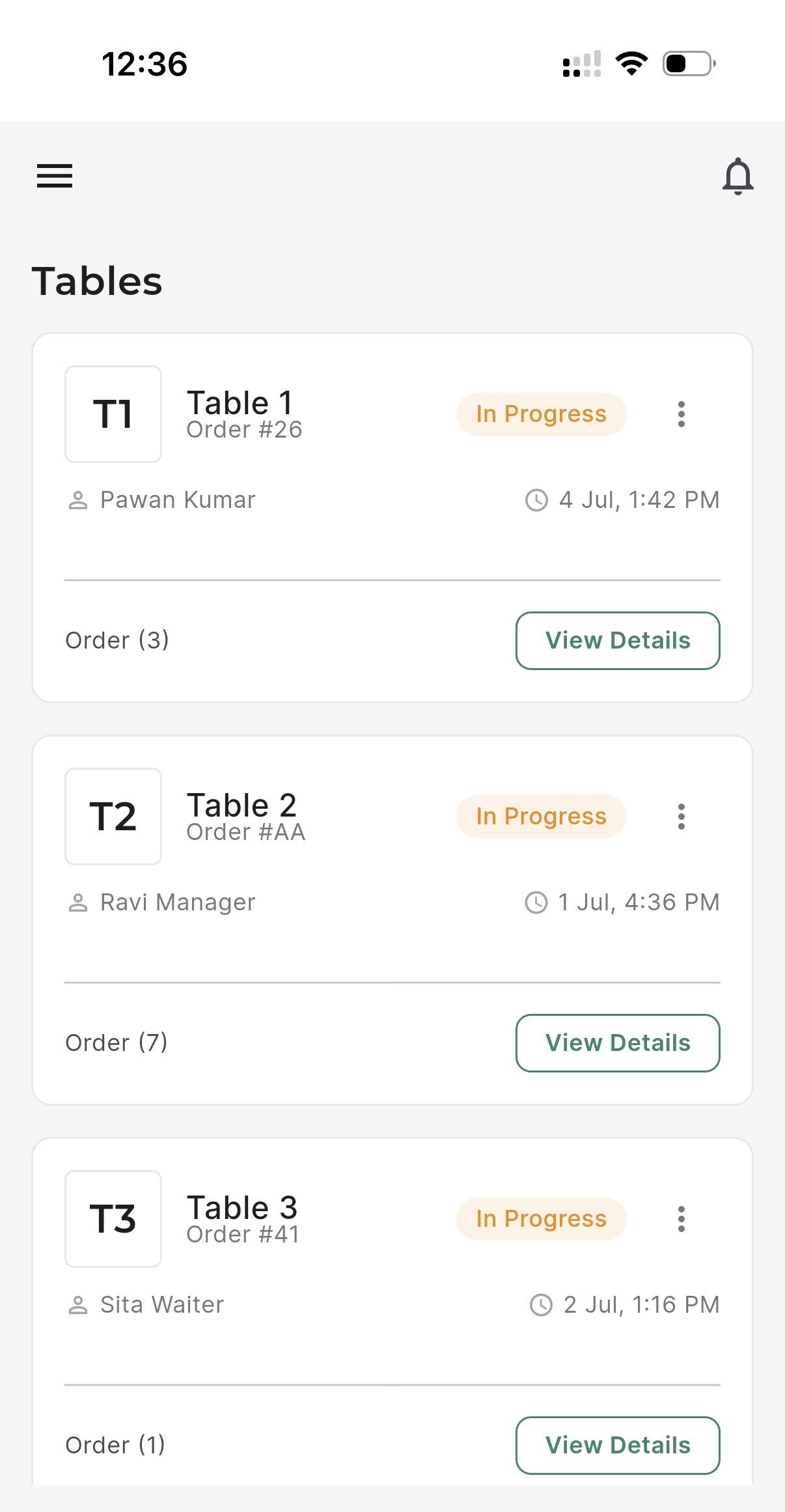
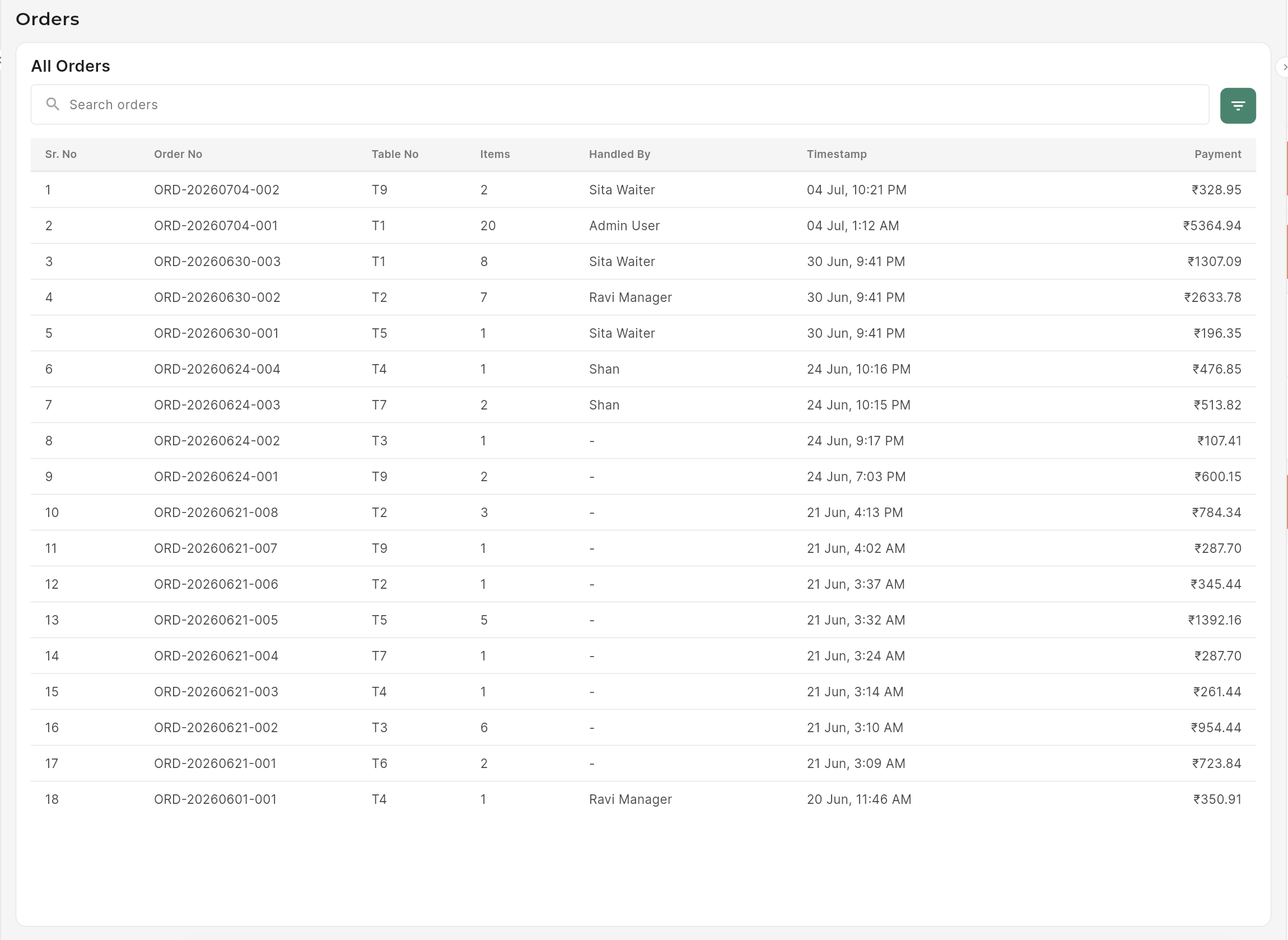
One master device runs the show; staff phones and tablets connect over your Wi-Fi. The very same POS — reflowed for every screen.
Peace of mind, built in
No cloud to trust, no subscription to lapse. Your restaurant keeps running and your data stays with you.
Runs with no internet
Everything lives on the master device. The Wi-Fi router is all your restaurant needs.
Automatic encrypted backups
Hourly, daily and weekly snapshots are taken and verified in the background.
Off-site USB mirror
Keep an encrypted copy on a USB drive so a lost device never means lost data.
One-click recovery
Restore to any snapshot — or rebuild on a new device from a single backup file.
Secure PIN roles
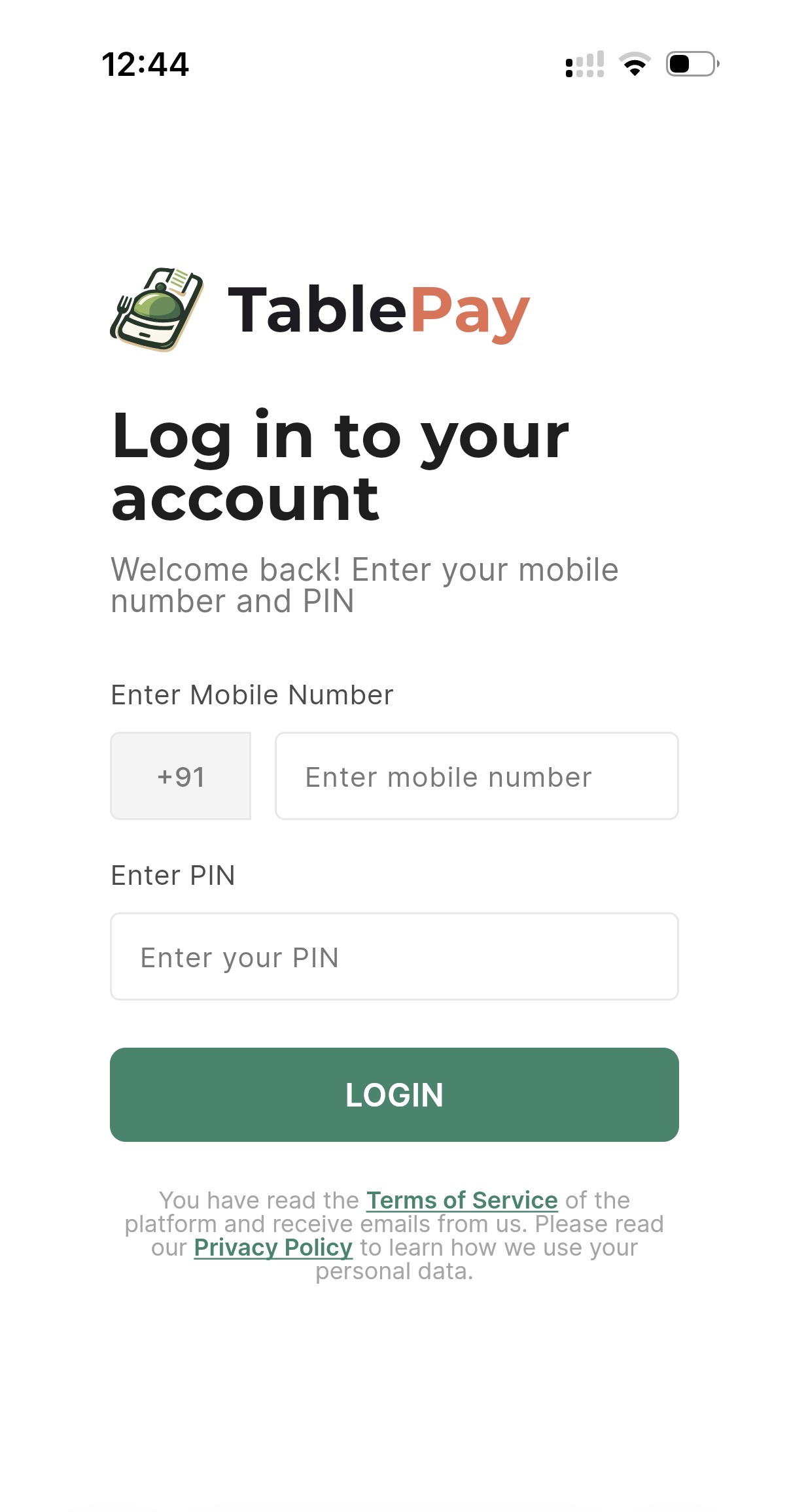
Admin, manager, waiter and kitchen each sign in with a phone number and PIN.
Immutable order history
Every checkout is a permanent snapshot — reprint any past bill, exactly as it was.
Live in three simple steps
No servers to provision, no integrations to wire. Set it up once and serve.
Set up your master device
Install TablePay on one machine, run the guided setup, and add your tables and menu.
Connect staff phones
Point any phone or tablet on your Wi-Fi at the master. No accounts to create, no cloud to configure.
Start serving
Take orders, fire the kitchen, and print bills — instantly, and entirely offline.
A complete restaurant toolkit
Beyond the daily service flow, TablePay covers the details that keep an outlet running smoothly.
Menu management
Items, variants, add-ons and categories — organised the way your kitchen thinks.
CSV bulk upload
Import your whole menu, add-ons and categories from a spreadsheet in one go.
Flexible tax engine
Inclusive or exclusive tax, per item or category, with precise GST-style rounding.
Discounts & coupons
Percentage or flat, item / category / order scope, coupon codes and happy-hour windows.
Orders & reprints
Full order history with itemised detail — reprint any bill byte-for-byte.
Call-waiter alerts
Guests call for service; served / non-served status is tracked live for the floor.
Keyboard shortcuts
Power users fly through tables, orders and checkout without touching the mouse.
Over-the-air updates
Soft and forced updates keep every device current — no manual reinstalls.
Guided setup & licensing
A first-run wizard provisions your outlet and activates your licence in minutes.
Made for the people running service
“The Wi-Fi went out during a Saturday rush and TablePay didn’t even blink. We kept taking orders like nothing happened.”
Aarti M.
Owner, family diner
“Waiters raise the order on their phones and the kitchen sees it instantly. Tickets stopped getting lost overnight.”
Rohit S.
Manager, casual dining
“Setup took an afternoon and there’s no monthly cloud bill. It just runs on the device we already had at the counter.”
Neha K.
Owner, café & bakery
Ready to run service without the cloud?
No subscriptions to juggle, no per-terminal cloud fees. Tell us about your outlet and we’ll put together a plan that fits — and show you TablePay live.